
Snap. Check. Collected.
From a shoebox of cards to a searchable collection
Six steps, one photo per binder page. Here is exactly what happens between taking the picture and counting the win — on your iPhone and in your browser.
-
01 Photograph the pages
Snap your binder pages, or lay loose cards on the table, and pick the photos. Decksmith finds every card in every one — no typing, no searching, no spreadsheet.
-
02 Check the haul
Every card it found, on one screen. Anything it could not read, you find by typing the name. Then import them all at once.
-
03 Build, play, anywhere
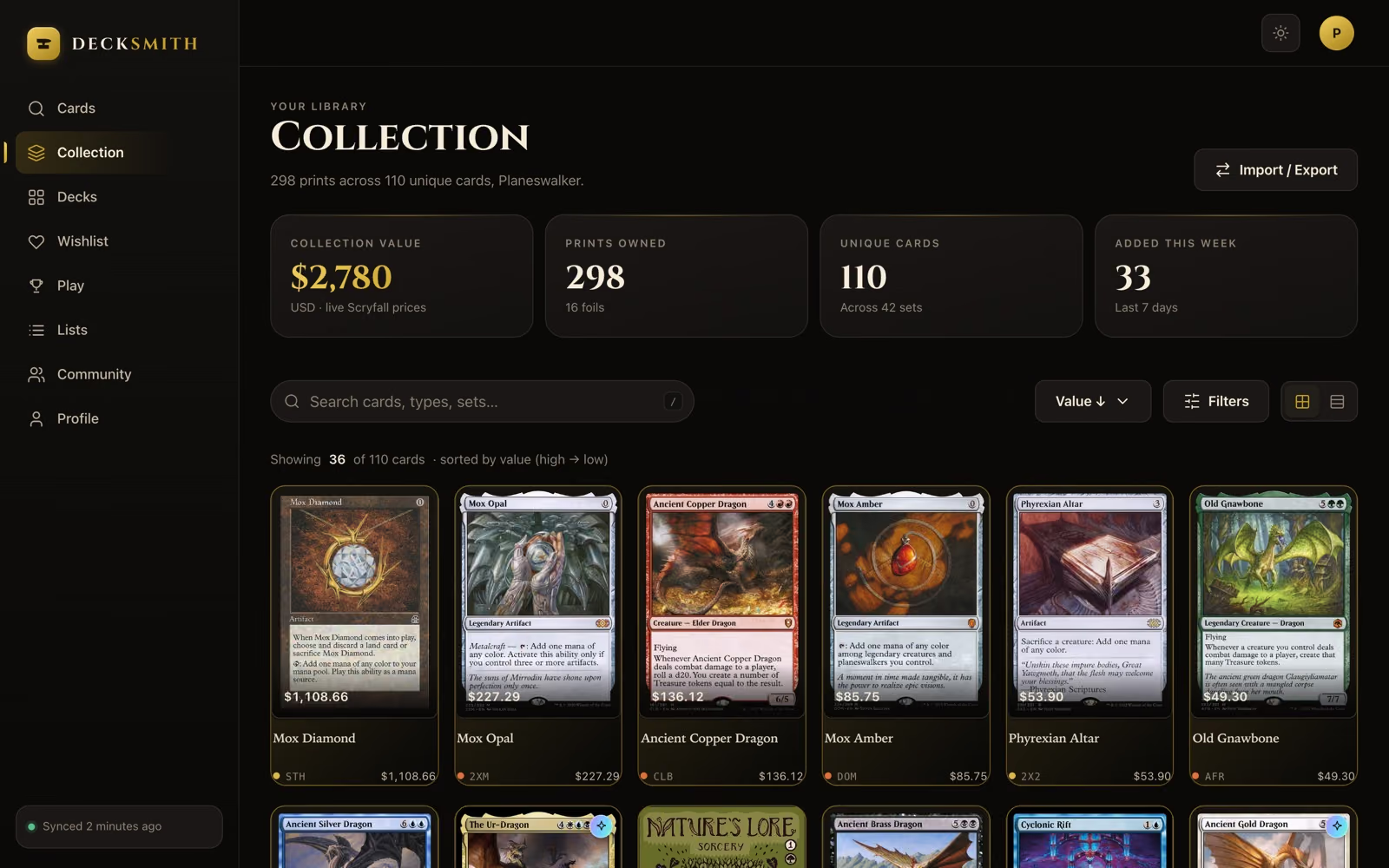
Priced, filed and ready for a deck that checks its own legality — on your iPhone, and in your browser at the web app.
Step one
Photograph a page — or point at a card
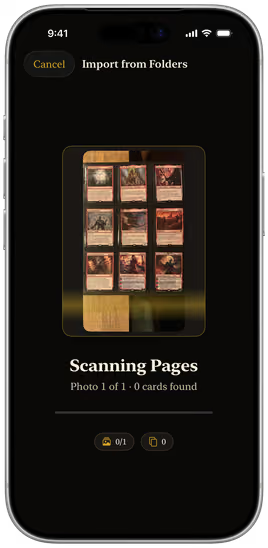
Pick photos of your binder pages, nine or twelve pockets, or of loose cards laid out on a table — as many as you like at once. Decksmith finds every card in every photo by its name and printed set number. Just cracked a pack? Hold a single card up to the camera and it is recognised live.
- 9- and 12-pocket pages, or up to about 20 loose cards per photo
- As many photos as you like in one go
- Single cards still scan live from the camera
Step two
Check what it found
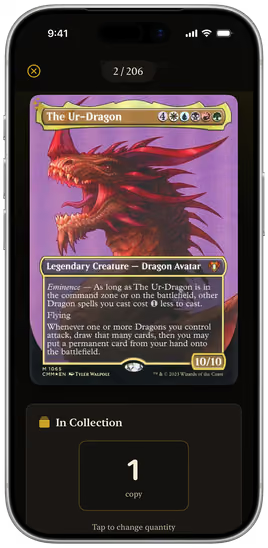
Every card from every photo lands on one review screen, and nothing is imported until you say so. Anything it could not read is marked — tap it and find it by name. Open any card to check the printing, set foil or non-foil, and say how many copies are yours.
- One review screen for the whole haul
- Find any card it missed by typing the name
- Foil and non-foil tracked separately
Step three
Watch the collection assemble itself
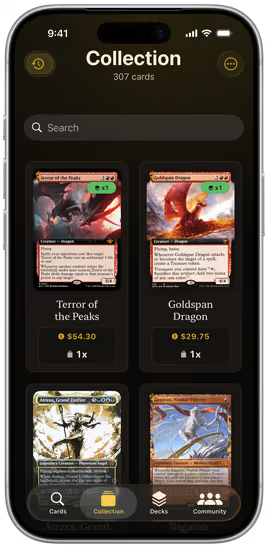
The card lands in your collection with its full-resolution artwork cached on device. Search it, filter it, sort it by value, or let a smart list pick it up automatically.
- Full-resolution art stored offline
- Nine filter dimensions, three sort orders
- Smart lists refill themselves as you collect
Step four
Build a deck that checks itself
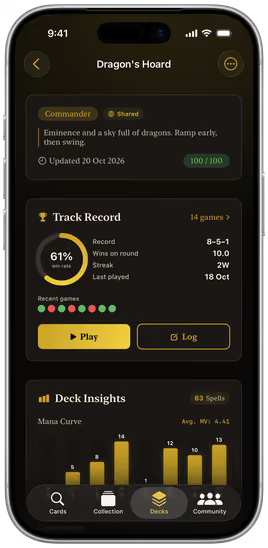
Choose a format and start dropping cards in. Decksmith enforces the deck size and copy limits as you go, keeps the commander in its own slot, and tells you the moment the deck is legal.
- Eight formats, validated live
- Mana curve and type distribution redraw as you build
- Match history per deck and per commander
- Standard
- Modern
- Pioneer
- Legacy
- Vintage
- Commander
- Pauper
- Casual
Step five
Take it to the table
Start a game from the deck you just built and Decksmith runs the pod: life totals, commander damage, poison, who is out. Put the phone down mid-turn and the game is still there when you pick it up.
- A seat for everyone at the table
- Leave a game running and resume it later
- Every result files itself against the deck and the commander
- You Dimir Midrange 31
- Mara Atraxa 18
- Jon Krenko 7
- Ada Yuriko 0
- Dimir Midrange 14W · 6L70%
- Atraxa // Superfriends 9W · 9L50%
- Krenko, Mob Boss 5W · 11L31%
Step six
Pick it up on any computer
Sign in at app.decksmith.community with your free Decksmith account, made in the app or right there in the browser, and the same collection, decks and lists are in your browser — always in sync, and editable at a real keyboard.
- Always in sync with your iPhone
- Edit cards, decks and lists on the big screen
- Free, no ads, nothing to install
Already have a collection?
Bring it with you
You do not have to scan ten thousand cards one by one to get started.
Binder photos
Already sleeved? Photograph the pages — nine or twelve cards a photo, as many photos as you like at once.
CSV import
Import an export from the popular collection and deck-building sites. Decksmith matches the printings and prices them against today’s market.
Full backup restore
Coming from another iPhone? Restore a complete Decksmith backup — collection, decks and lists in one file.
Scan the first page
Pick the nearest binder and photograph a page. Nine cards later, the collection is building itself.
Free · iOS 18+ · 24 MB · No account required
On a computer? Scan with your iPhone camera to open Decksmith in the App Store.